Black Ops God Mode File Download

Tabtight professional, free when you need it, VPN service. 280 Death Metals + 4 Type(s) of Black Rare Metal. This trainer for Call of Duty: Black Ops III on PC can only be used along with Cheat Engine. It has been tested on different versions and has worked for almost all of them. Tables require Cheat Engine in order to work. How to use.CT files. Note: You Must Register to Download Trainer Options: - God Mode.
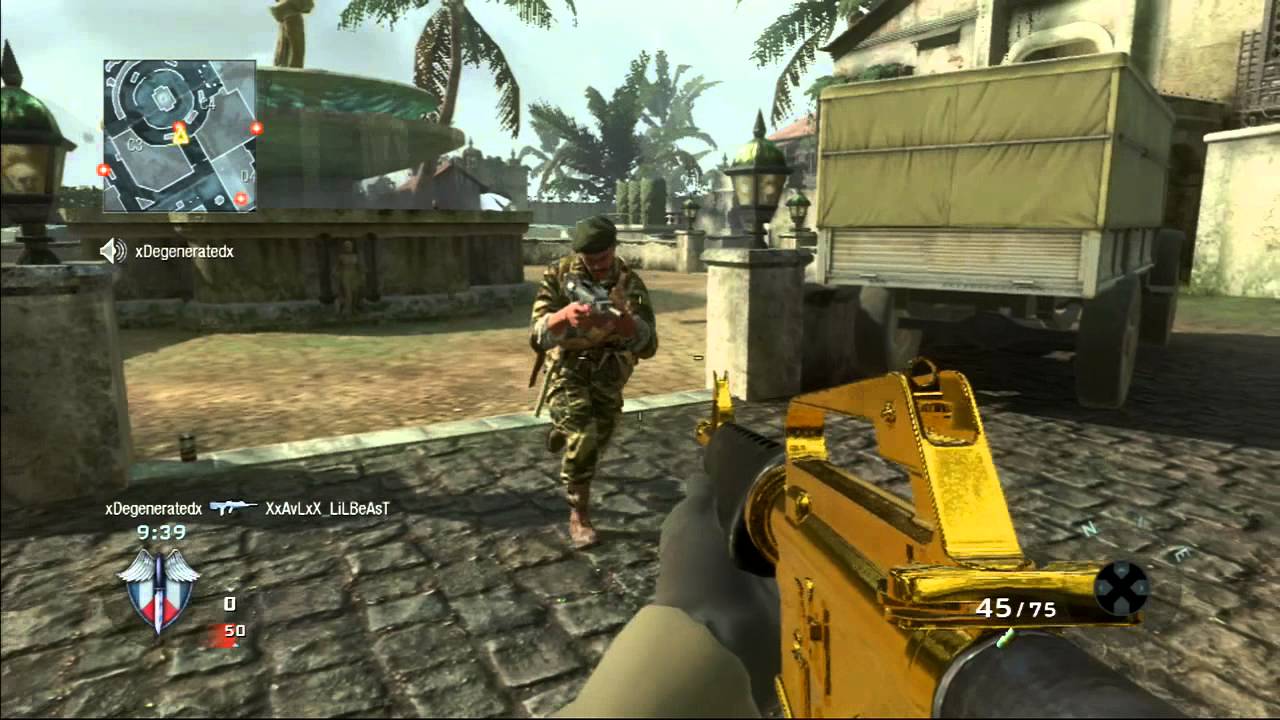
Call Of Duty Black Ops 1 free download PC game full version with online multiplayer setup ISO with direct download links. You can also free Call Of Duty Black OPS full version with single link download zombies mode online multiplayer highly compressed.
Call Of Duty Black Ops 1 Free Download Overview: The gameplay and plot of Call Of Duty Black Ops 1 free download is quite interesting and entertaining in many ways. Players will control a single protagonist throughout the game following missions based on objectives. Players can now also carry additional gadgets or weapons with them such as extra grenades and other gadgets. Moreover in Call Of Duty Black Ops 1 free download, players can manipulate the temperature and weather of the game to accomplish a certain objective.
Stealth assassination is even more fun in Call Of Duty Black Ops 1 free download, players can eliminate the enemies with knife or even blowtorch. Call Of Duty Black Ops 1 free download features only two playable game modes and four sub game modes. Which respectively are the Black Ops offline storyline game mode and online multiplayer game mode in Black ops 1..
The online multiplayer game mode of Call Of Duty Black Ops 1 free download is improved and enhanced at a great extent. Players can now also play competitive missions or complete sneak peak missions to attain more fun. As Call Of Duty Black Ops 1 free download is the seventh major release in this trilogy, players can unlock new premium weapons and gadgets.
Apart from the traditional online game mode, players can also play the Zombies mode in COD Black Ops 1 free download. So in a nutshell and conclusively i would say that Call Of Duty Black Ops 1 free download is the best game in this series.
Call Of Duty Black Ops 1 PC Game ISO Features: • Marvelous Graphics And Offline Game Mode • Completely New And Redesigned Zombies Mode • Added A Vast Variety Of Weapons And Gadgets • More Missions Than Ever • And Much More You Can Discover.
A black screen has appear with cursor only after I install a skin for my windows 8 laptop. The screen started to blank after I patch the windows logo in 7tsp Alienware breed icon pack. I didn't realize that the skin is for windows 7.
I know it's a bit stupid and I don't know why I'm really stupid at that day. I cannot do anything because the screen just turn black and a cursor appear after the login.
Please help me how to reset it or what's the solution for this problem. Specs for my laptop (what I remember): Toshiba Satellite® L850 -Intel Core i5-3210M 2.5 GHz -Intel HM76 (Panther Point) -8192 MB, 2x 4096 MB PC3-12800 SO-DIMM DDR3-RAM (1600 MHz), 2 Slots, max.
16 GB -AMD Radeon HD 7670M - 2048 MB, Core: 600 MHz, Memory: 900 MHz, DDR3, 8.932.5.3000 Hitachi Travelstar 5K750 HTS547550A9E384, 500 GB 5400 rpm -Microsoft Windows 8 64 Bit I hope you guys can really help me. I feel regret for download that thing. You can contact me at schinichi_kurudo@yahoo.com later~. This one is a little tricky, because it takes trial and error (and patience) to launch the Windows 8 ‘recovery mode’ when start up sequence is on going. What you need to do is, past the BIOS splash screen, hold down the Shift key and repeatedly hit the F8 key. Doing so should get you to the recovery mode, but it might take a few tries before you achieve that. Document Number On Drivers License Ohio here. Once the Recovery screen is displayed, click the 'See advanced repair options' button.
In the next screen, hit the Troubleshoot button. In the troubleshoot menu, click Advanced options, wherein lies Windows Startup Settings. The next screen will ask you to restart your PC, after which you’ll see the familiar Advanced Boot Option screen – the same one that’s been around since Windows XP – and you can choose Safe Mode here.
Make sure you select Safe Mode with command prompt. Once you're logged into safe mode and the command shell is open, type the following code and hit enter: sfc /scannow Let it do it's thing and when it's done it will say 100% complete.
You can now reboot and your computer should function normally. Start control panel, select, hardware and sound->power options,->system settings disable 'turn on fast startup(recommended)' checkbox Did you not read everything in the OPs first post? States specifically they can't do anything in Windows because of the black screen issue. And turning off fast startup wouldn't do anything anyways other than make the computer boot slower. The issue started when OP installed a custom skin, so it's an issue with uxtheme.dll more than likely. It's repairable by running a system file scan using command prompt but that would require getting into the recovery menu upon boot, which is very difficult with Windows 8.