Floppy Disk Controller Driver Xp
Jan 12, 2008. Page 1 of 2 - 'ghost' Floppy Disk Controller In Device Manager - posted in Windows XP Home and Professional: I have a laptop which has no floppy disk. One is Windows XP Pro OEM version with Samsung branding and the other (drivers) disk has 'Samsung M50 system software media' printed on it. Standard Floppy Disk Controller driver download list. Description: Standard Floppy Disk Controller driver setup. Version: 4.2.8. Date: 09 Sep 2014. Filesize: 0.81 MB Operating system: Windows XP, Visa, Windows 7,8 (32 & 64 bits). Click on the following links for the driver package readme info.
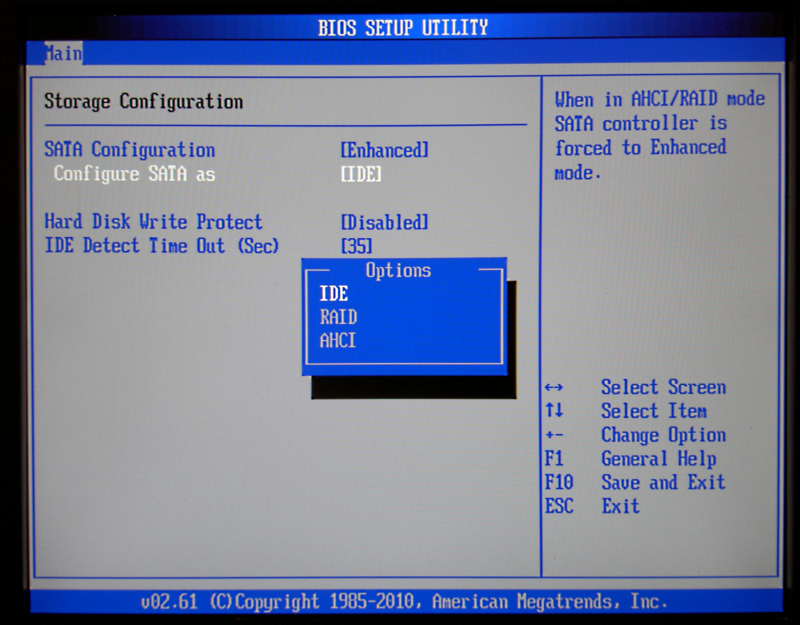
Jul 25, 2009. This error will appear most often when your hard disk is on an SATA or SCSI controller and Windows setup does not have a suitable driver. In most cases these days. UPDATE JAN 2011 – Create A Custom Windows XP CD with your SATA drivers as an alternative to using a floppy disk. If you need help. Microsoft Standard floppy disk controller Free Driver Download for Windows 2003, XP, 2000, NT4, ME, 98SE, 98, 95. World's most popular driver download site.
Introduction: With the widespread introduction of SATA hard disk drives and the unexpected longevity of the Windows XP operating system a lot of users nowadays are having problems when trying to install Windows XP. Whether you’ve replaced your hard disk with a big chunky SATA one or decided to downgrade to XP from Windows Shitsa (eh, of course I mean Vista) then it’s likely you’ll come across an issue where you are either prompted by Windows XP setup for a floppy disk containing a driver or setup simply bombs out with a blue screen of death (BSOD). Cimatron E10 Tutorial Download there. The reason for either of these annoying interruptions is that the driver for your hard disk simply isn’t on the Windows XP CD.bummer eh.
You probably don’t have a floppy drive either, right? This article gives you step by step instructions on how to create a new Windows XP CD from your existing CD plus add in the vital SATA driver that Windows setup so badly desires. No floppies required!
Pre-requisites: To achieve this feat you’re going to need the following: • An original Windows XP CD • A working Windows XP PC • A (that is or should work fine) • nLite – a fine, free utility used to create a custom XP CD. Usb Video Audio Grabber Download. (opens in new window) • SATA Drivers – This is the tricky part.
OK here’s the way I’d start looking: UPDATE January 2011: • Go to your PC, laptop or motherboard manufacturer’s website • Find the Support or Downloads section • Find the Hard Disk or SATA or Hard Disk Controller or Motherboard drivers area • Download the driver package to your hard disk and extract to a folder on your desktop. For the purposes of this article, I will download and extract my SATA drivers to the SATA folder located on the desktop. • If you can’t find it then leave a comment with your PC/Laptop/Motherboard manufacturer and model number and I’ll find them for you. Create the Windows XP CD • Install nLite – you may be prompted to install Microsoft.NET Framwork.