Itunes Old Version Windows 7
Screenshots iTunes 12.7.2 (32-bit) Screenshot 1 iTunes 12.7.2 (32-bit) Screenshot 2 iTunes 12.7.2 (32-bit) Screenshot 3 iTunes 12.7.2 (32-bit) Screenshot 4.
ITunes is a free application for Mac and PC. It plays all your digital music and video.
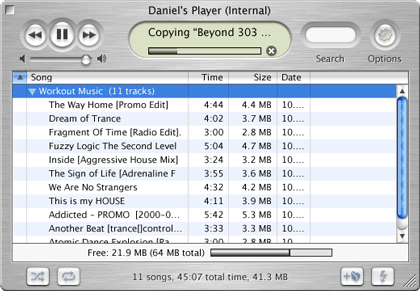
It syncs content to your iPod, iPhone, and Apple TV. And it's an entertainment superstore that stays open 24/7. • Organize your music into playlists • Edit file information • Record compact discs • Copy files to an iPod or other digital audio player • Purchase music and videos on the Internet through the built-in iTunes store • Run a visualizer to display graphical effects in time to the music • Encode music into a number of different audio formats. This is the 32-bit version.
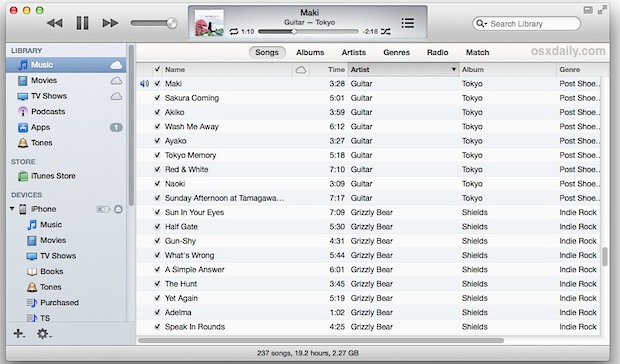
Reader Wes sent me this simple plea: 'I recently downloaded the new iTunes 11. I want to go back to the last version.
Is there a way?' I can relate to that desire, Wes. John Frusciante Shadows Collide With People Rare. The new iTunes not only has an overhauled interface that some users simply won't warm to, but also eliminates some key features that some users will no doubt miss (like the song de-duper).
Indeed, as I wrote last week, iTunes 11 has no visible sidebar, though at least it's. Ultimately, some users may just prefer to stick with old faithful—in this case iTunes 10. Visiting Apple's Web site won't do you any good; the only option there now is iTunes 11. You could, however, poke around your Downloads folder to see if you have version 10 in there somewhere. If not, head to, a site that plays host to old versions of hundreds of programs—. Just click that latter link, then scroll way down until you see all the different versions of iTunes 10.
Most likely you'll want iTunes 10.6.3 (either 32- or 64-bit—make sure to get the proper version), which was the last one before Apple released iTunes 11. Needless to say, you'll want to fully uninstall iTunes 11 before reinstalling that old version; the two can't co-exist. ( Update: If you encounter an error message after reinstalling iTunes 10, be sure to for a workaround.) Contributing Editor writes about business and consumer technology.
Ask for help with your PC hassles at, or try the treasure trove of helpful folks in the. Sign up to have the e-mailed to you each week.